PDF guides for your Android phone
Short, honest how-tos for the PDF jobs people search for most: editing, signing, filling forms, compressing for upload limits, converting and keeping documents private. Every guide works with the free PDF Tools app, offline.
Overview
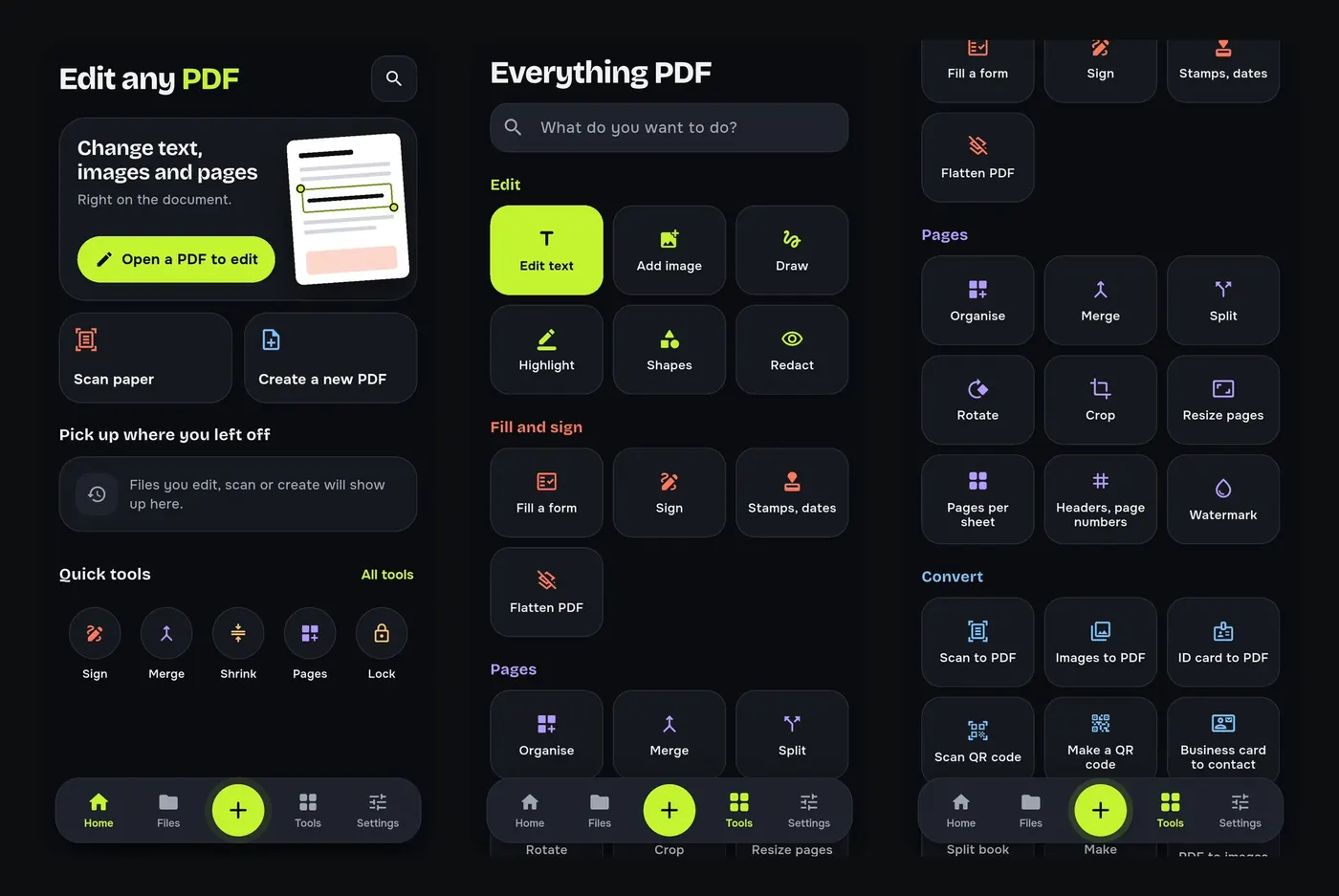
Edit
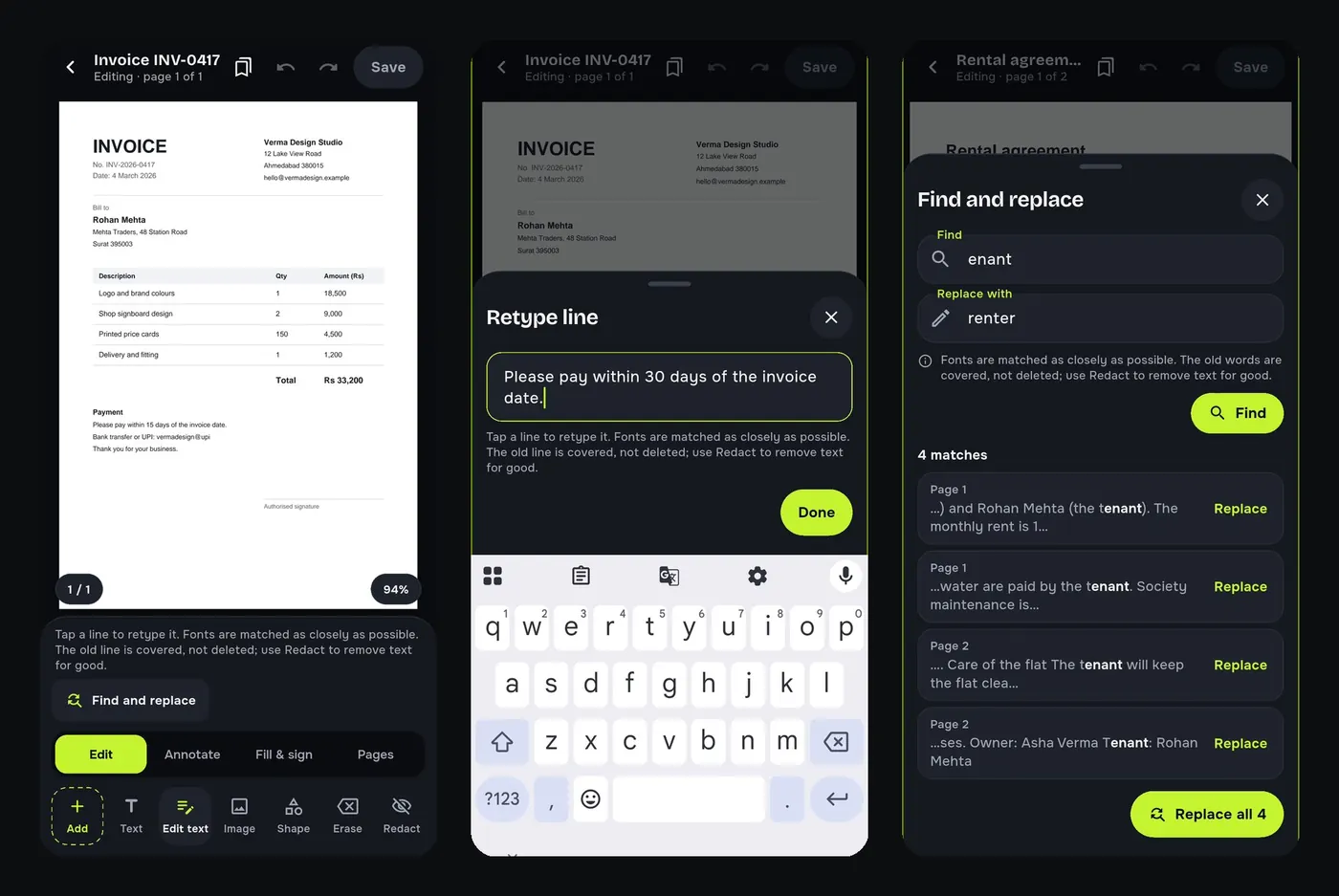
How to edit the text of a PDF on your Android phone
Change words, dates and names inside a PDF on your Android phone. Retype a line or find and replace a word, free and offline, without a computer.
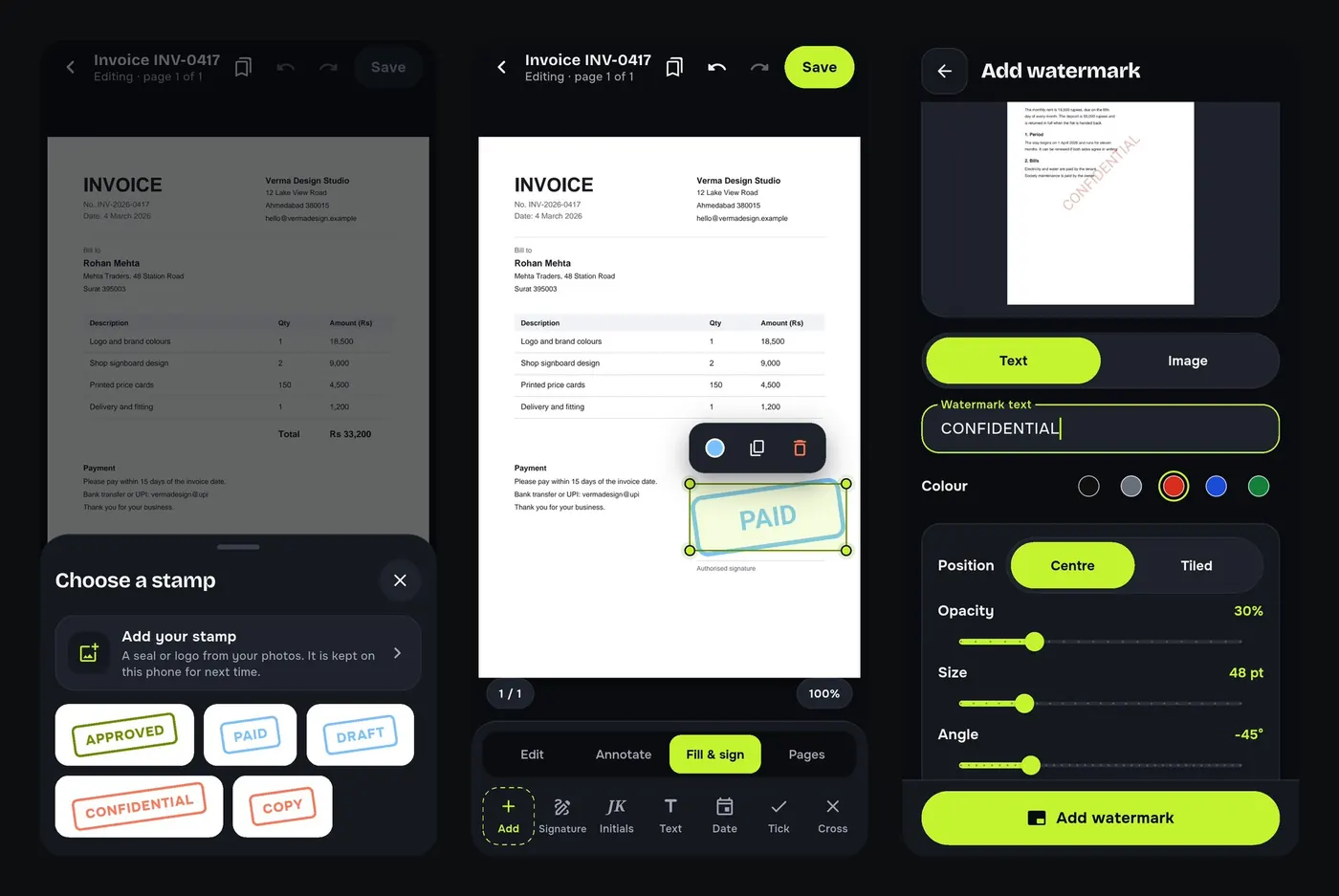
How to add a watermark or a PAID stamp to a PDF
Stamp invoices as PAID, add a CONFIDENTIAL watermark to every page and highlight text in a PDF on your Android phone. Free, offline, your own logo too.
Fill and sign
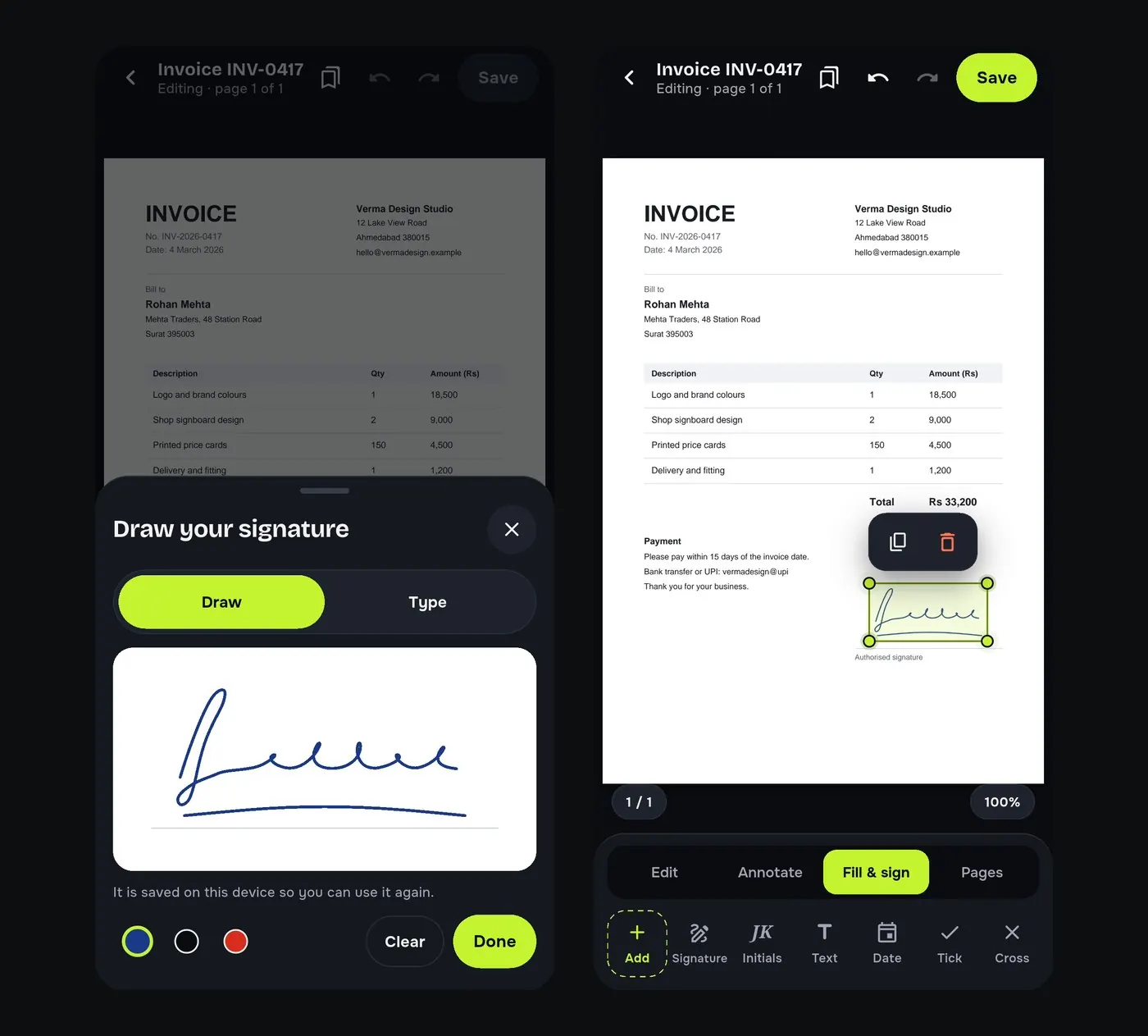
How to sign a PDF on your phone without printing it
Add your signature to a PDF on your Android phone: draw or type it, place it on the page and share the signed file. Free and offline, no printer or scanner.
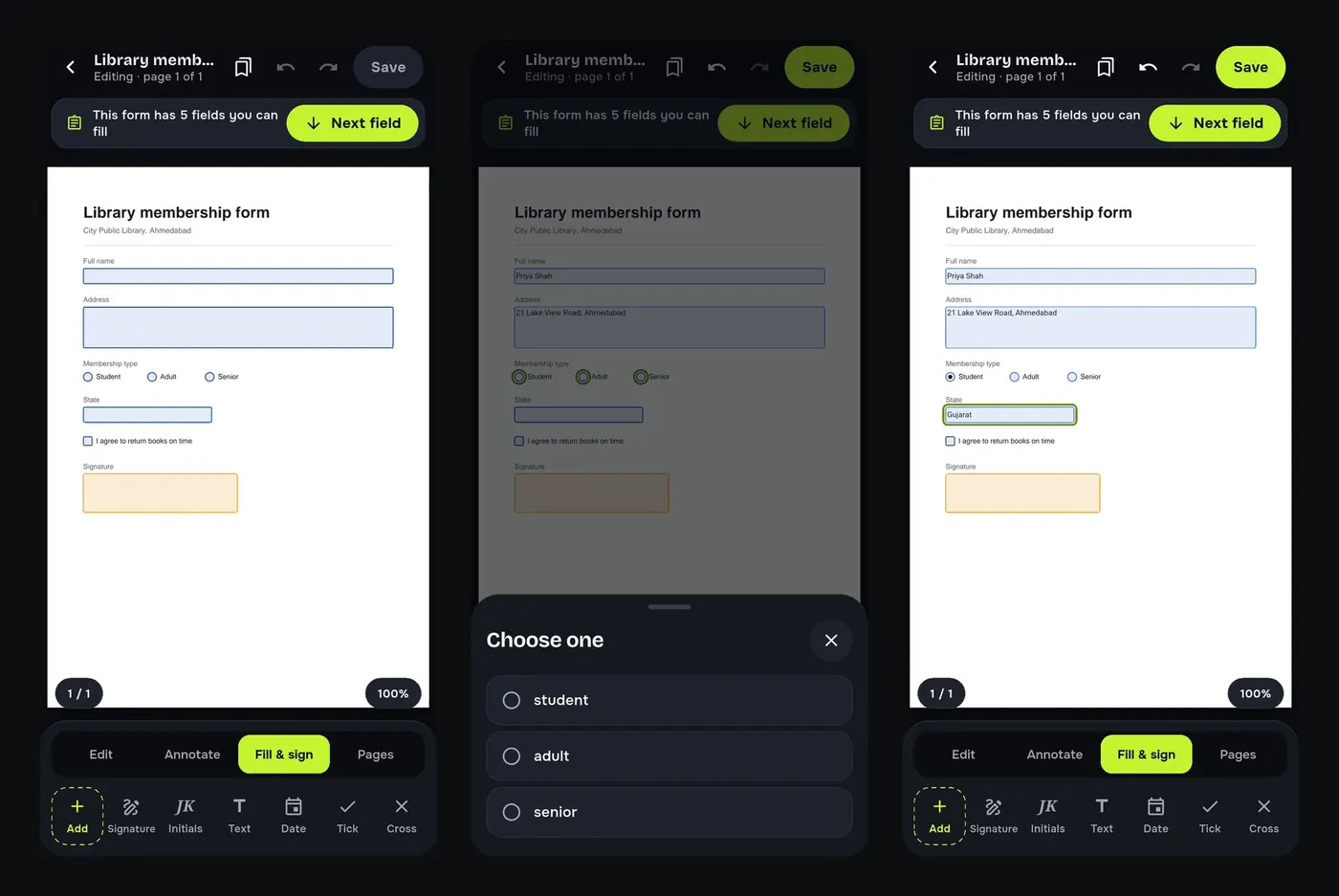
How to fill a PDF form on your Android phone
Type into PDF form fields, tick checkboxes and pick options on your Android phone, then save, sign and send the form. Free and offline, no printing.
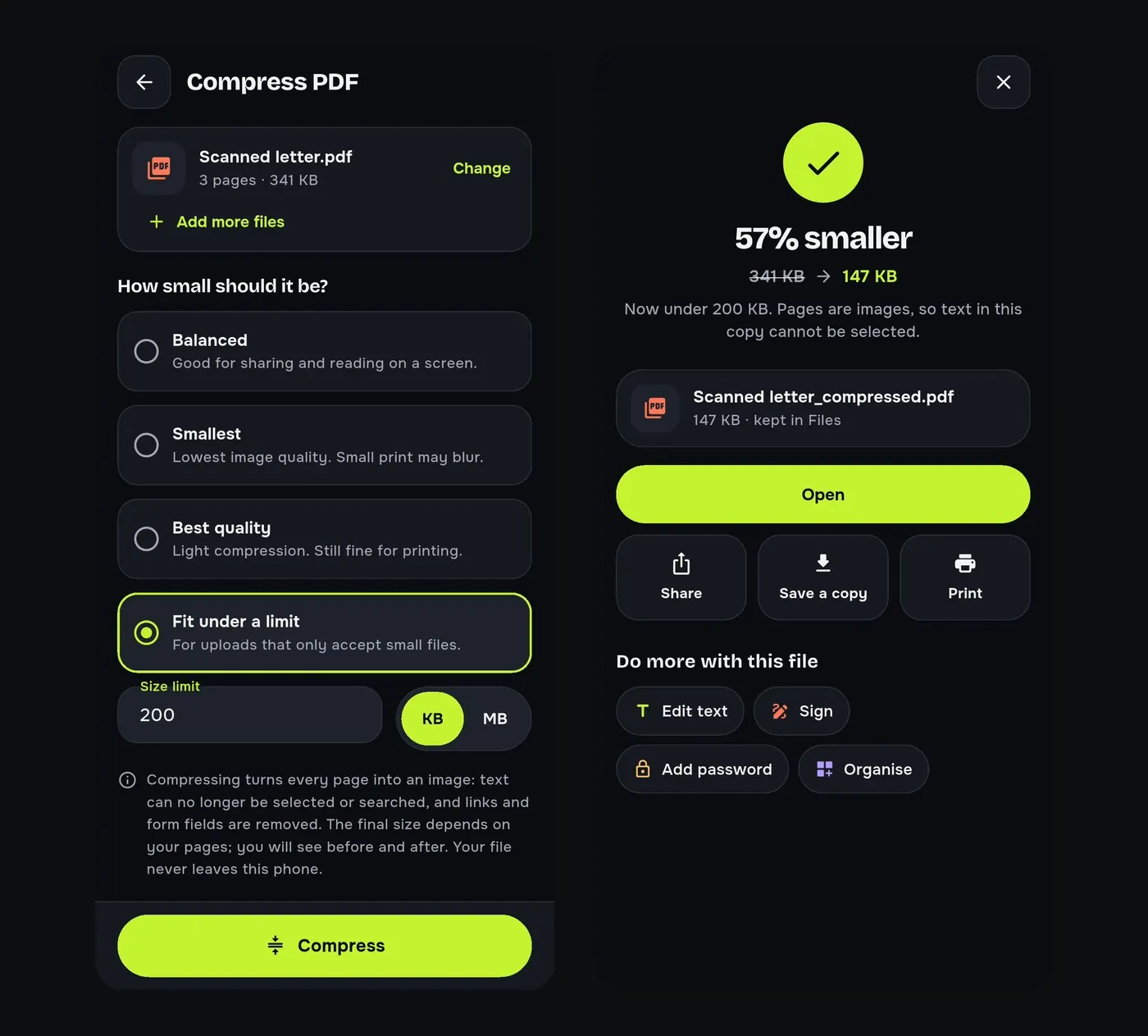
Compress
Convert
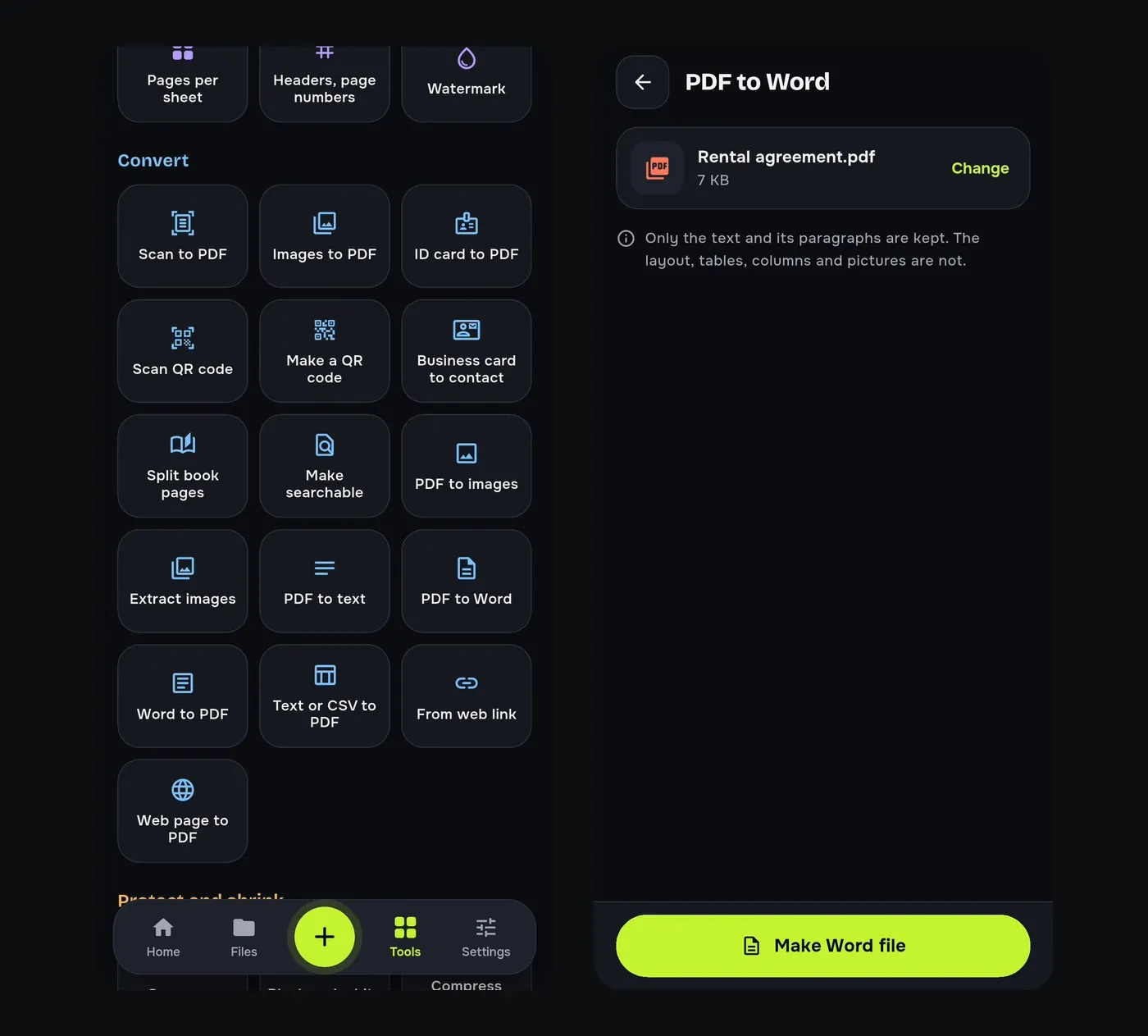
How to convert a PDF to Word on Android
Turn a PDF into an editable Word (.docx) file on your Android phone, free and offline, and learn what a PDF to Word conversion keeps and what it does not.
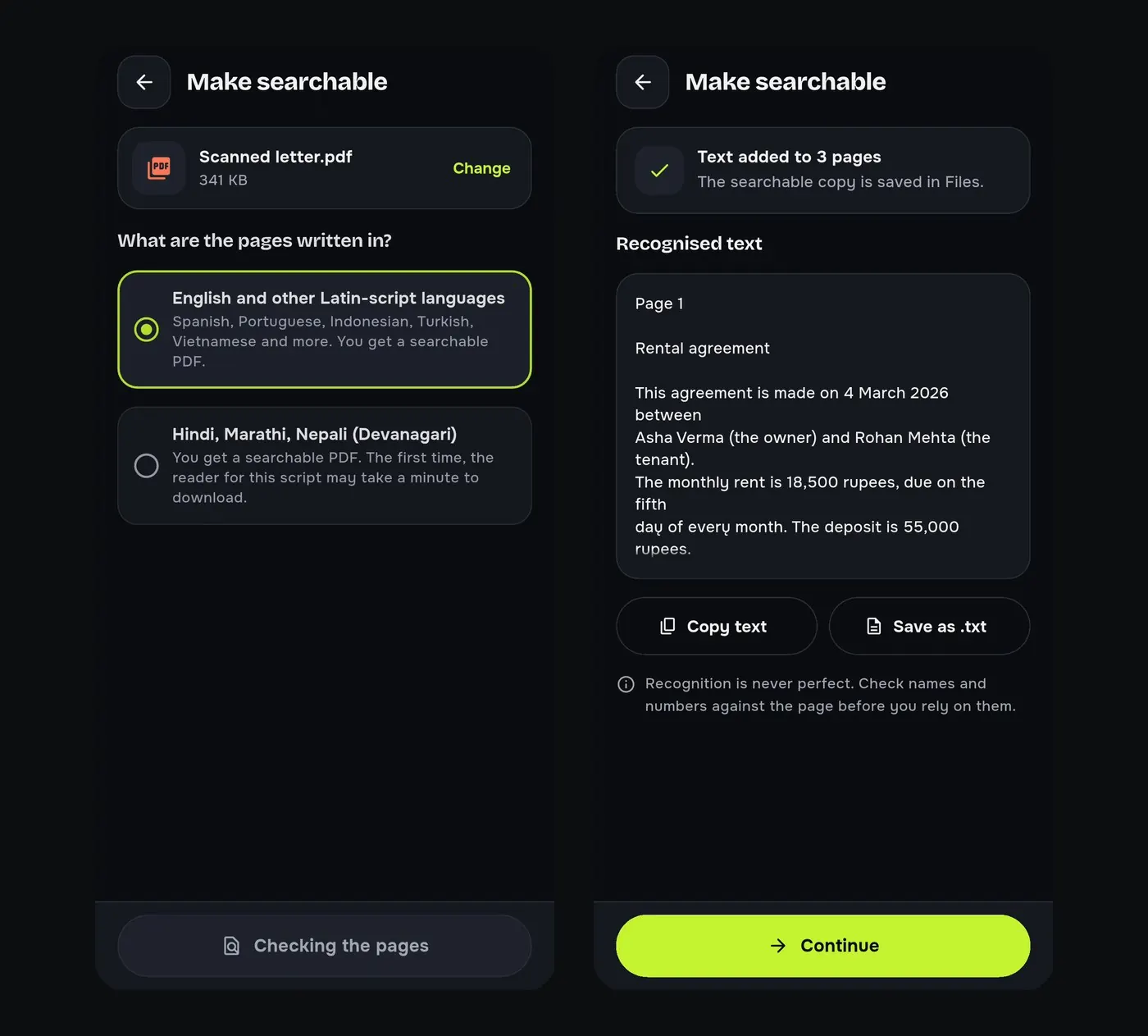
How to copy text from a scanned PDF with OCR on Android
Make a scanned PDF searchable and copy its text on your Android phone. Offline OCR for English, Hindi, Marathi and other Latin or Devanagari languages.
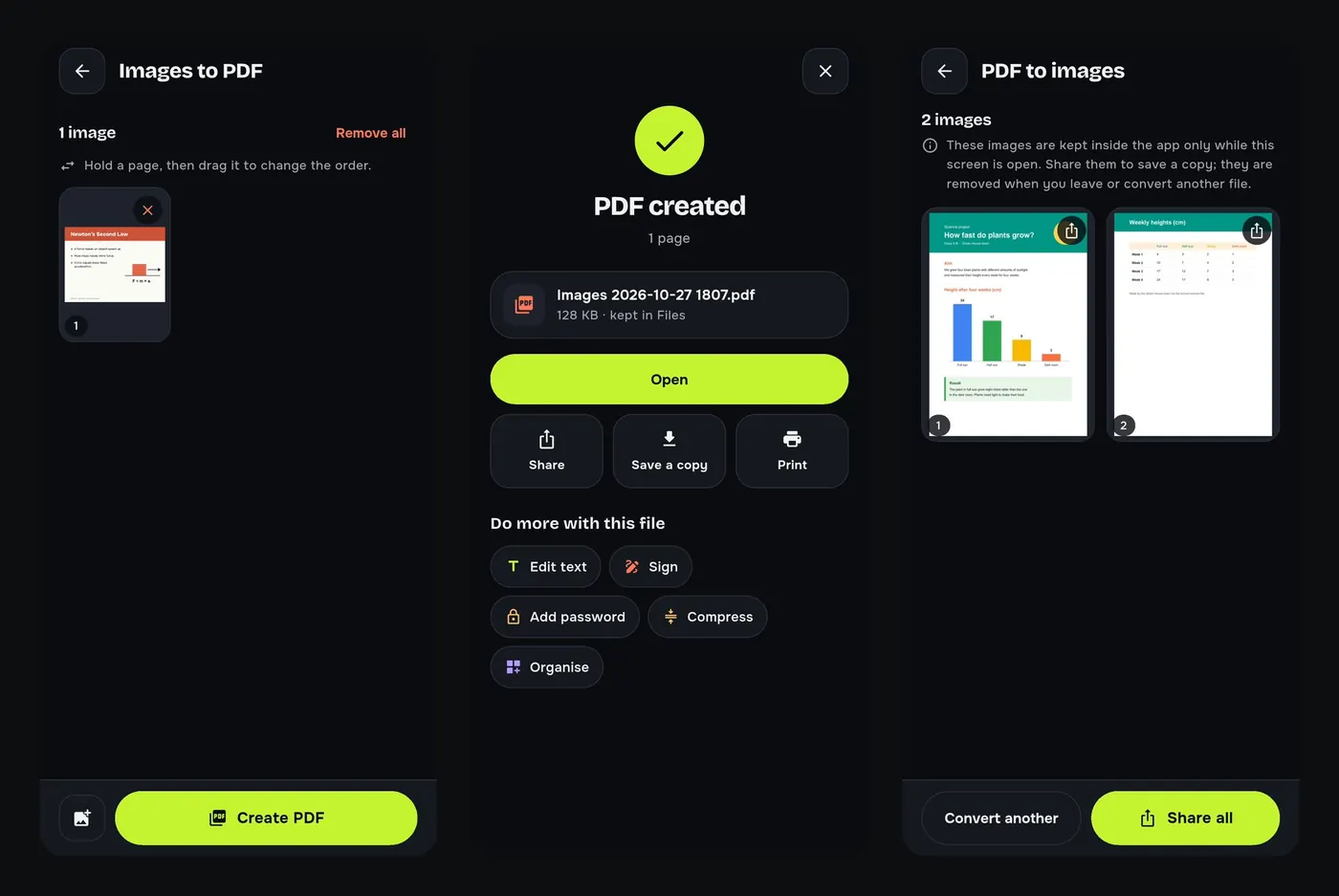
How to convert JPG to PDF and PDF to JPG on Android
Turn photos, receipts and notes into one PDF, or save every page of a PDF as a JPG, on your Android phone. Free, offline and without watermarks.
Pages
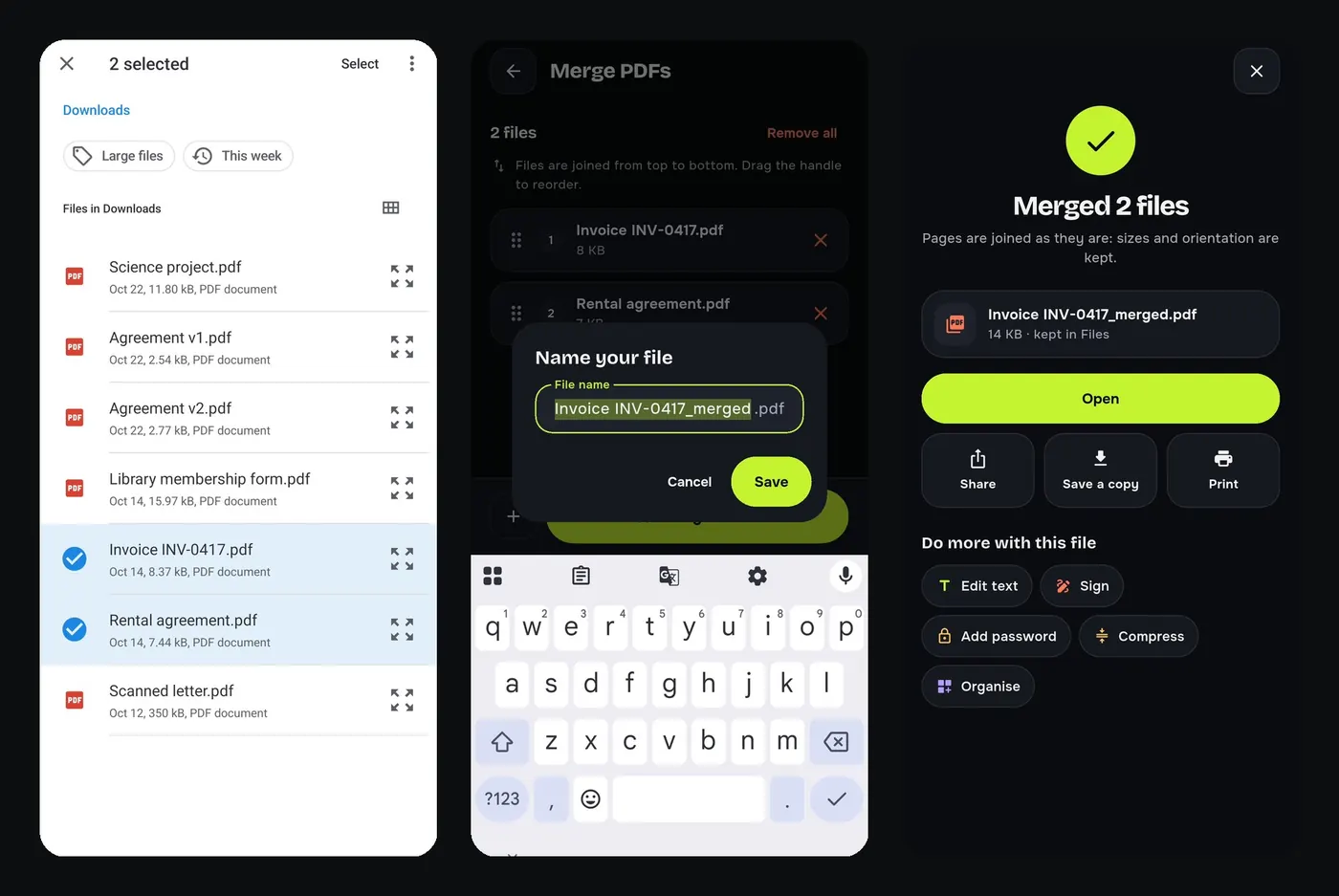
How to merge PDF files on your Android phone
Combine two or more PDFs into one file on your Android phone, in the order you choose. Free, offline, no upload: ideal for single-file application forms.
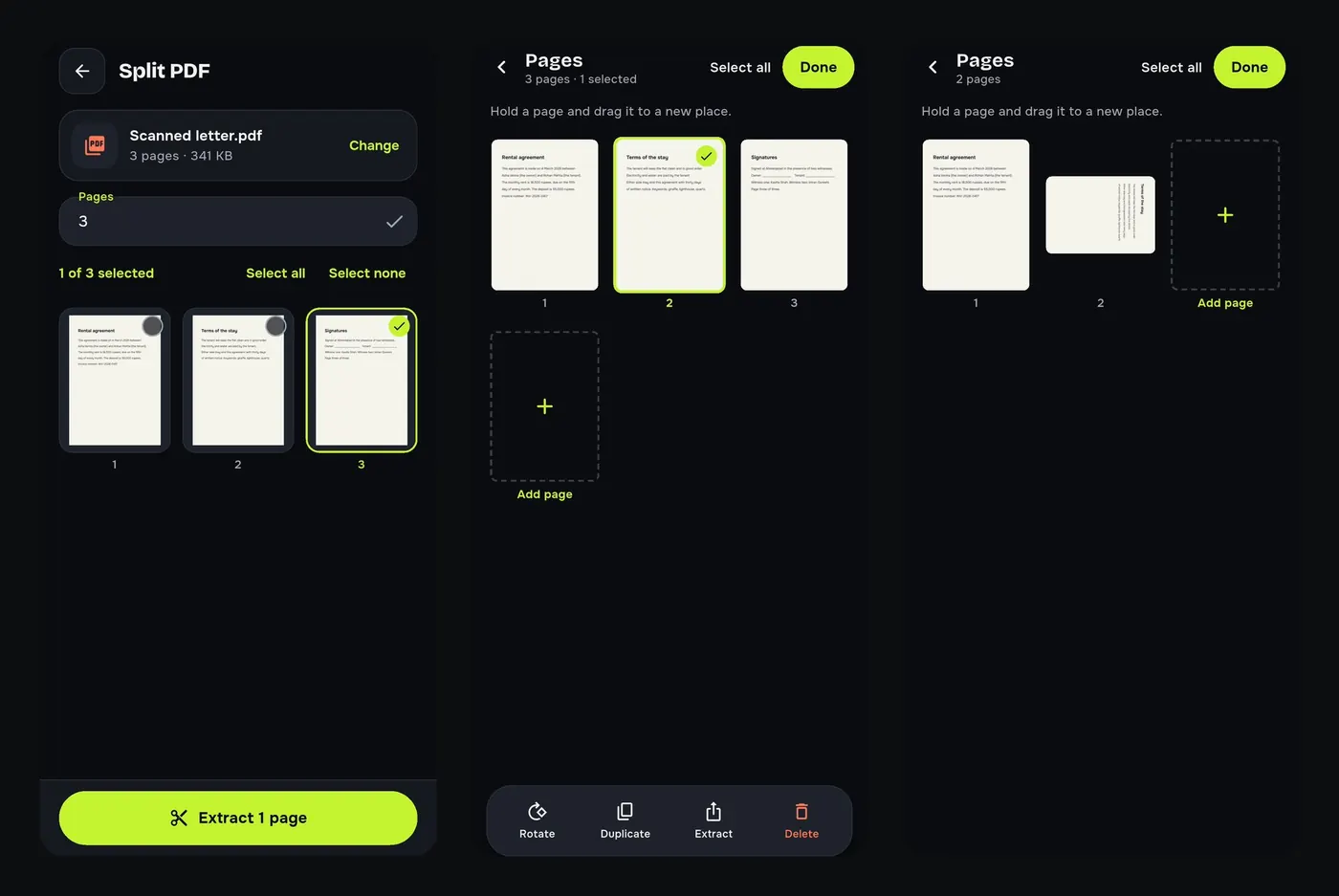
How to split a PDF and delete pages on Android
Extract the pages you need from a PDF, delete blank pages, reorder and rotate pages on your Android phone. Free and offline, the original stays untouched.
Protect
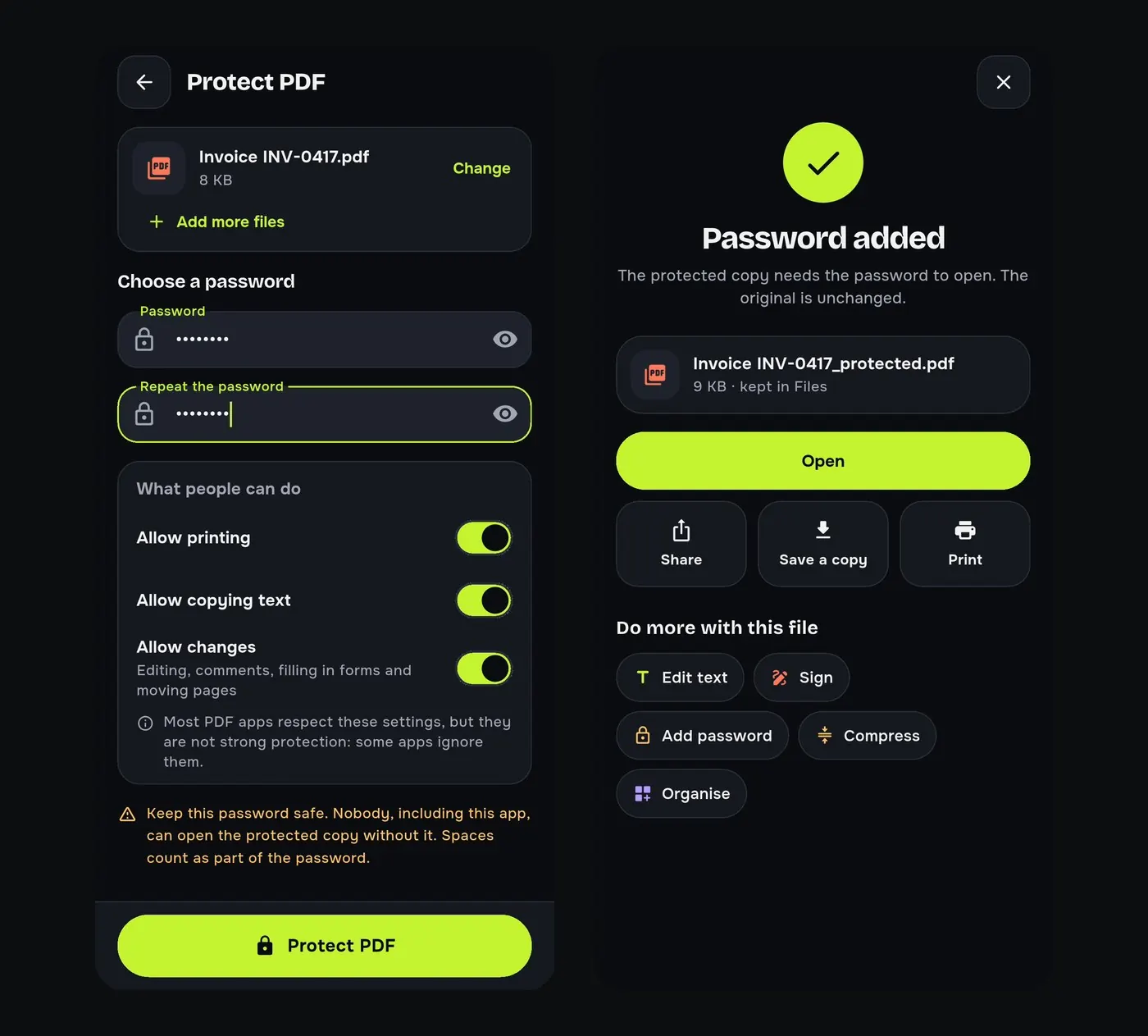
How to password protect a PDF on Android
Lock a PDF with a password on your Android phone and choose whether people may print, copy text or change it. Free and offline, for salary slips and ID copies.
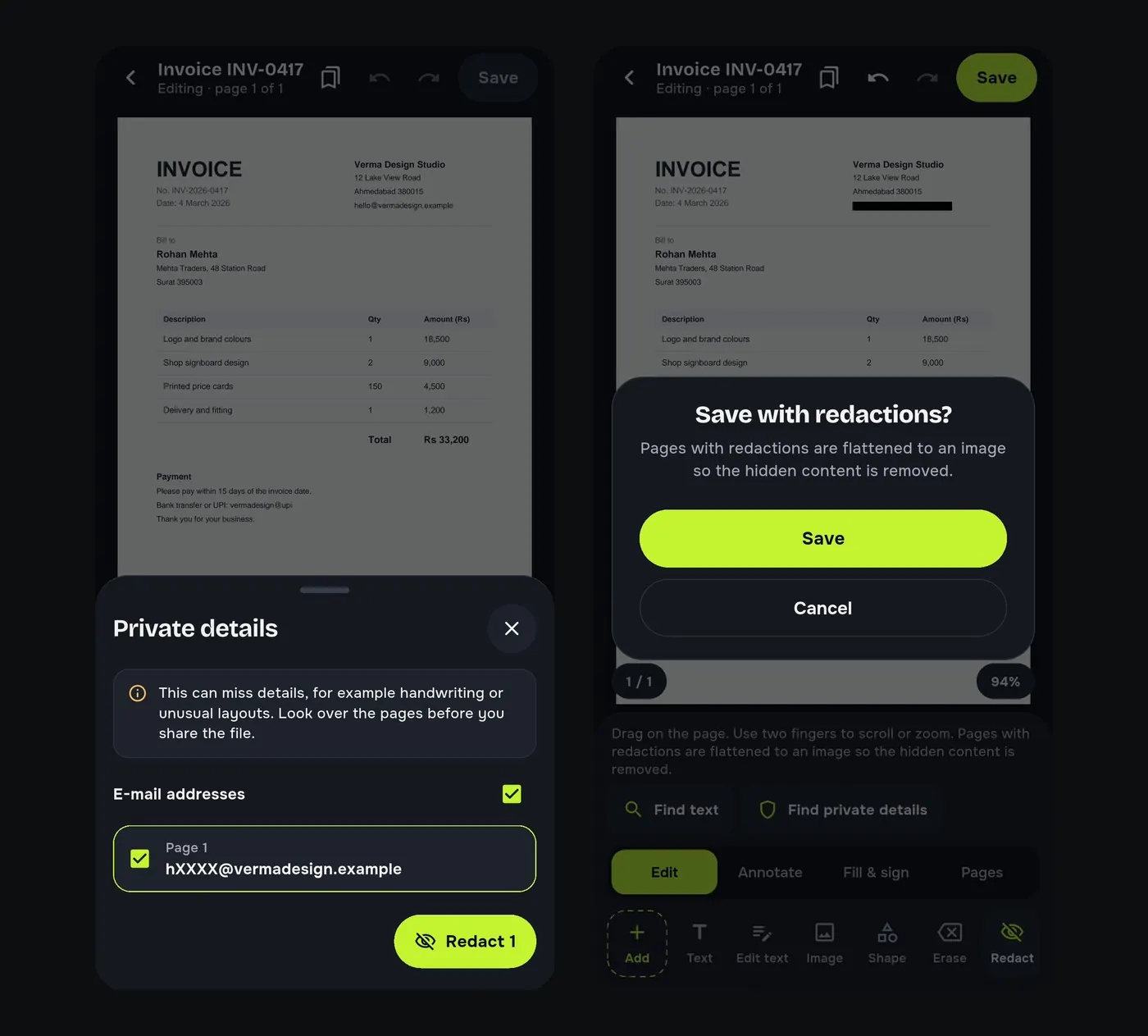
How to redact a PDF on Android
Black out phone numbers, e-mails, account numbers and names in a PDF on your Android phone and remove them for good, not just cover them. Free and offline.
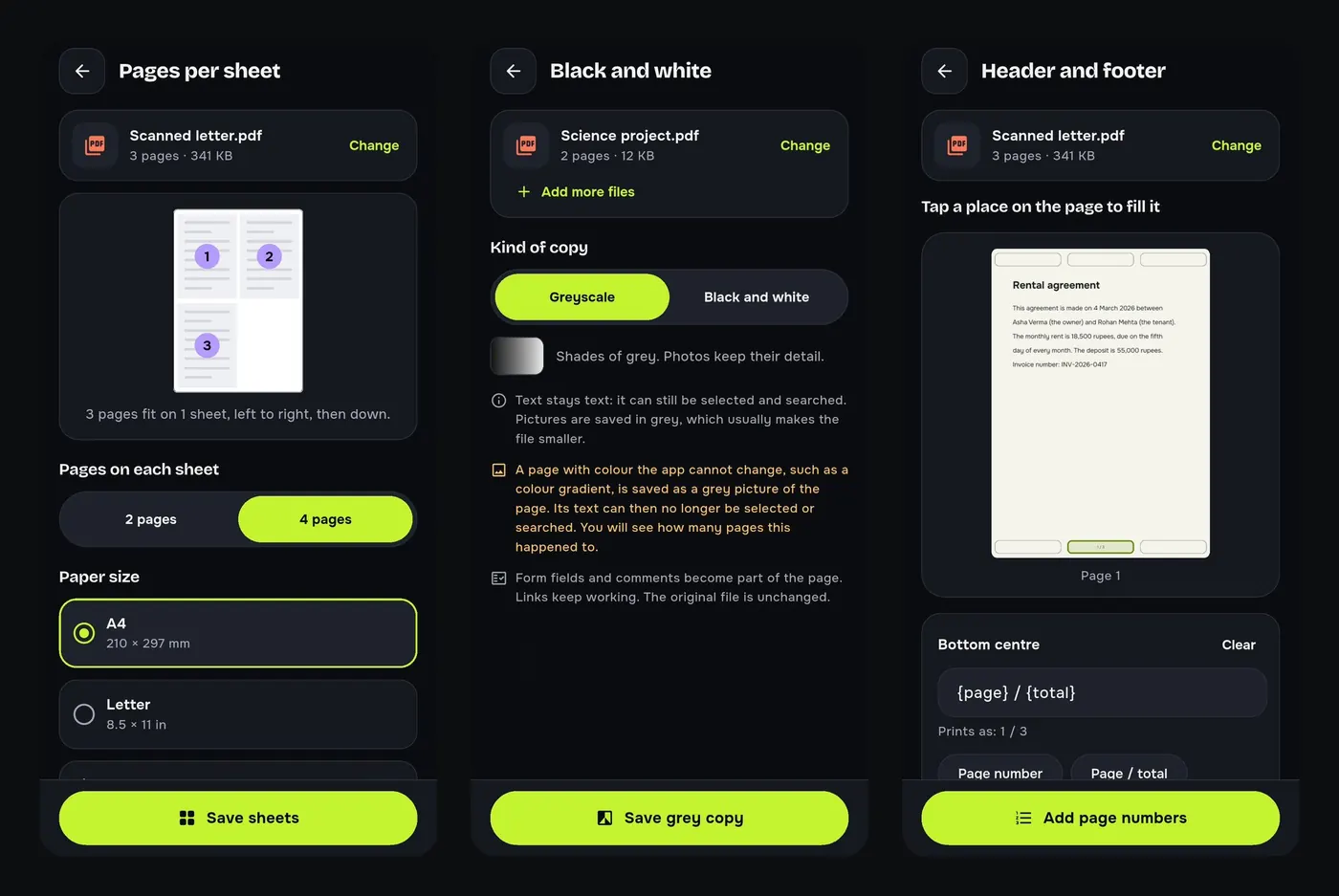
Read and compare
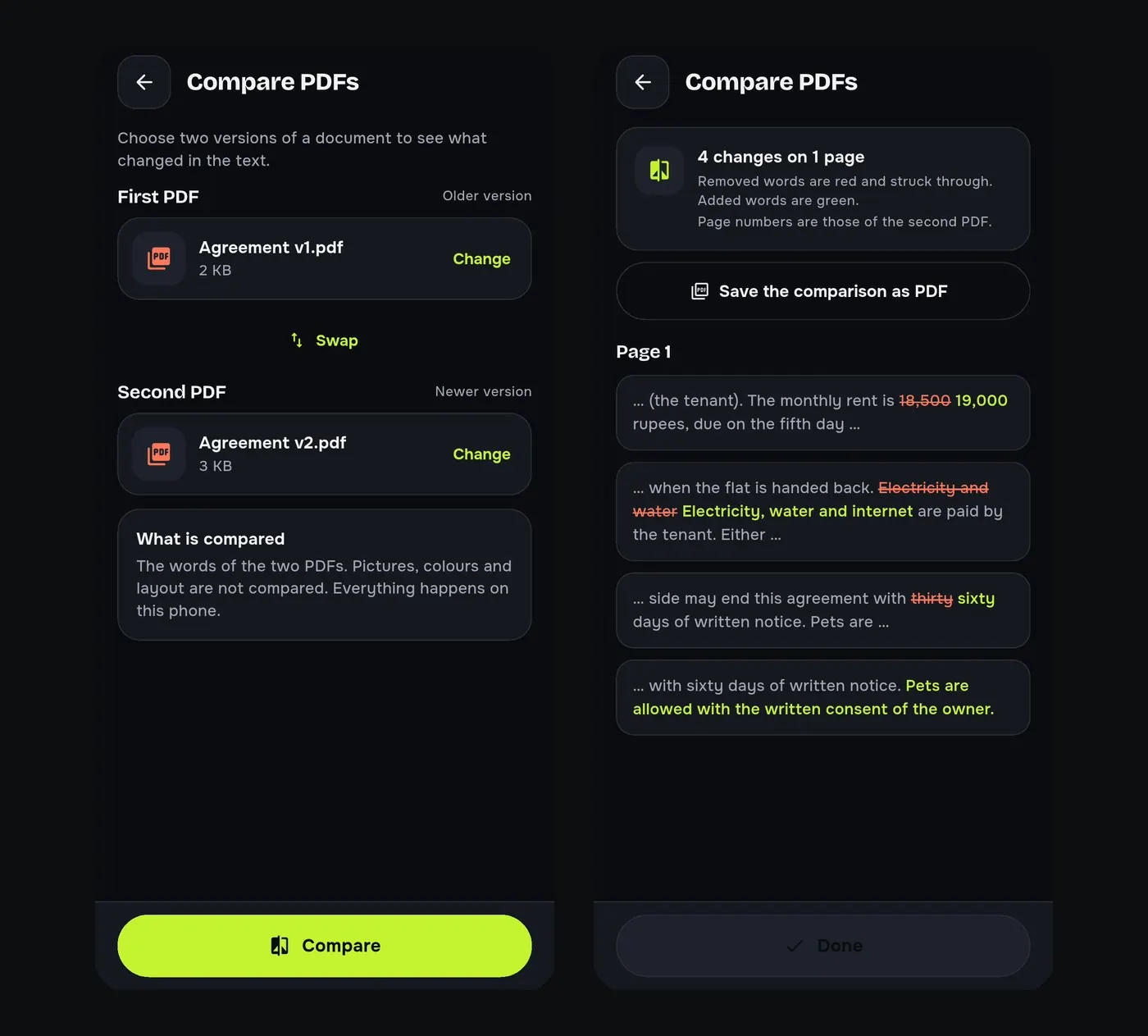
How to compare two PDF files and see what changed
Compare two versions of a PDF on your Android phone and see every word that was added or removed, page by page. Free and offline, ideal for contracts.
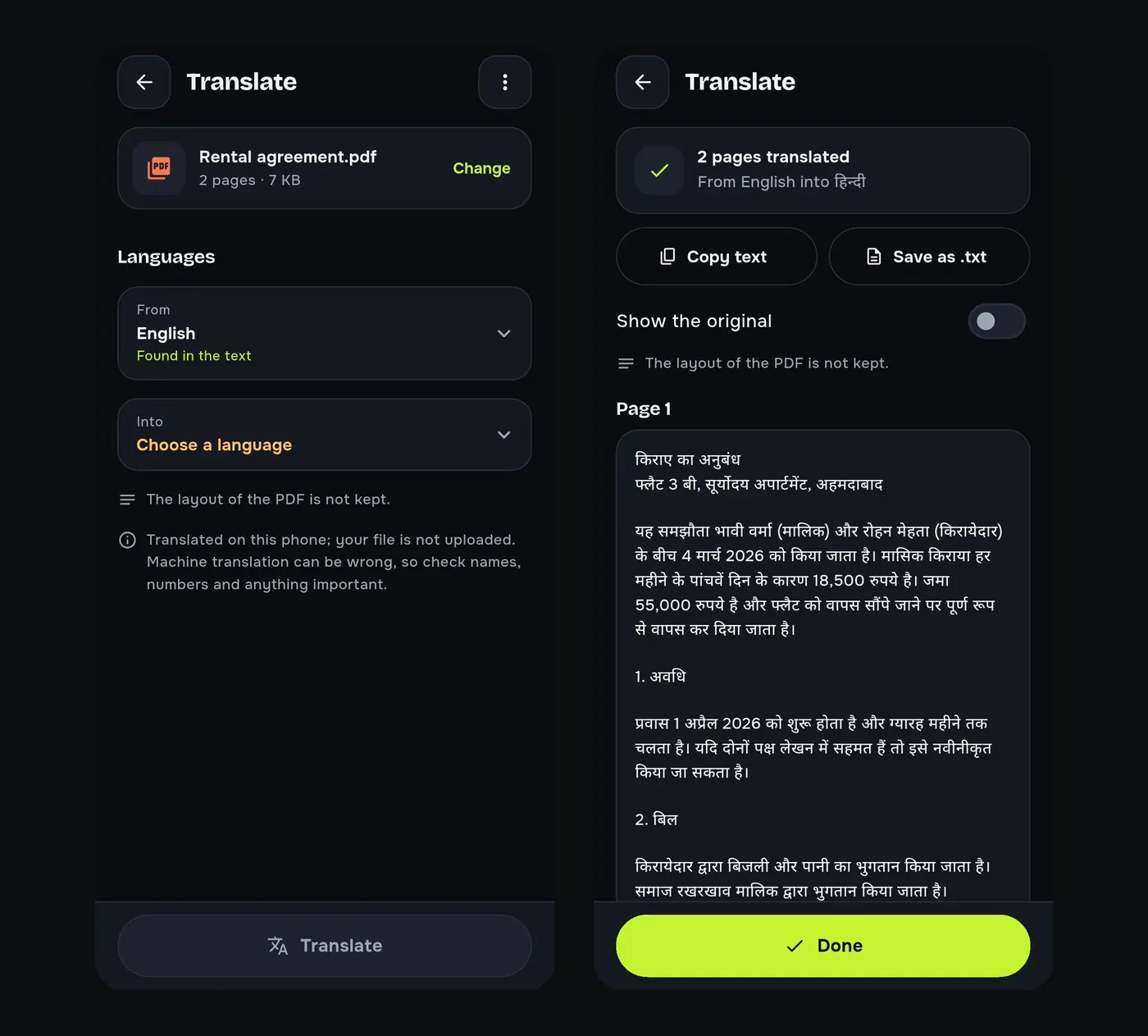
How to translate a PDF on your Android phone
Translate the text of a PDF into Hindi, English and other languages on your Android phone. After a one-time download it works offline.
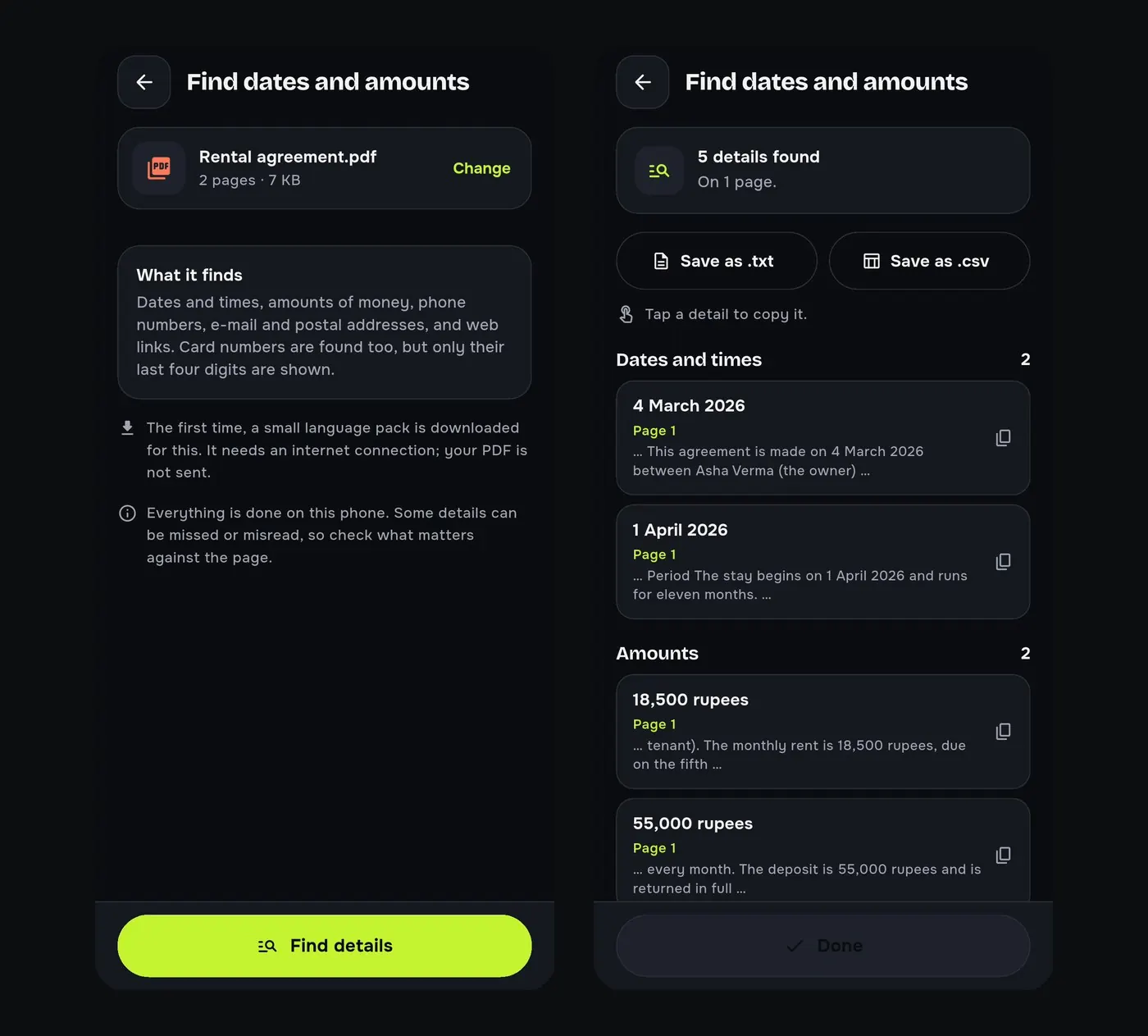
How to find every date, amount and phone number in a PDF
List the dates, amounts, phone numbers and e-mails in a long PDF on your Android phone, with the sentence each one came from. Save them as .txt or .csv.
Scan and QR
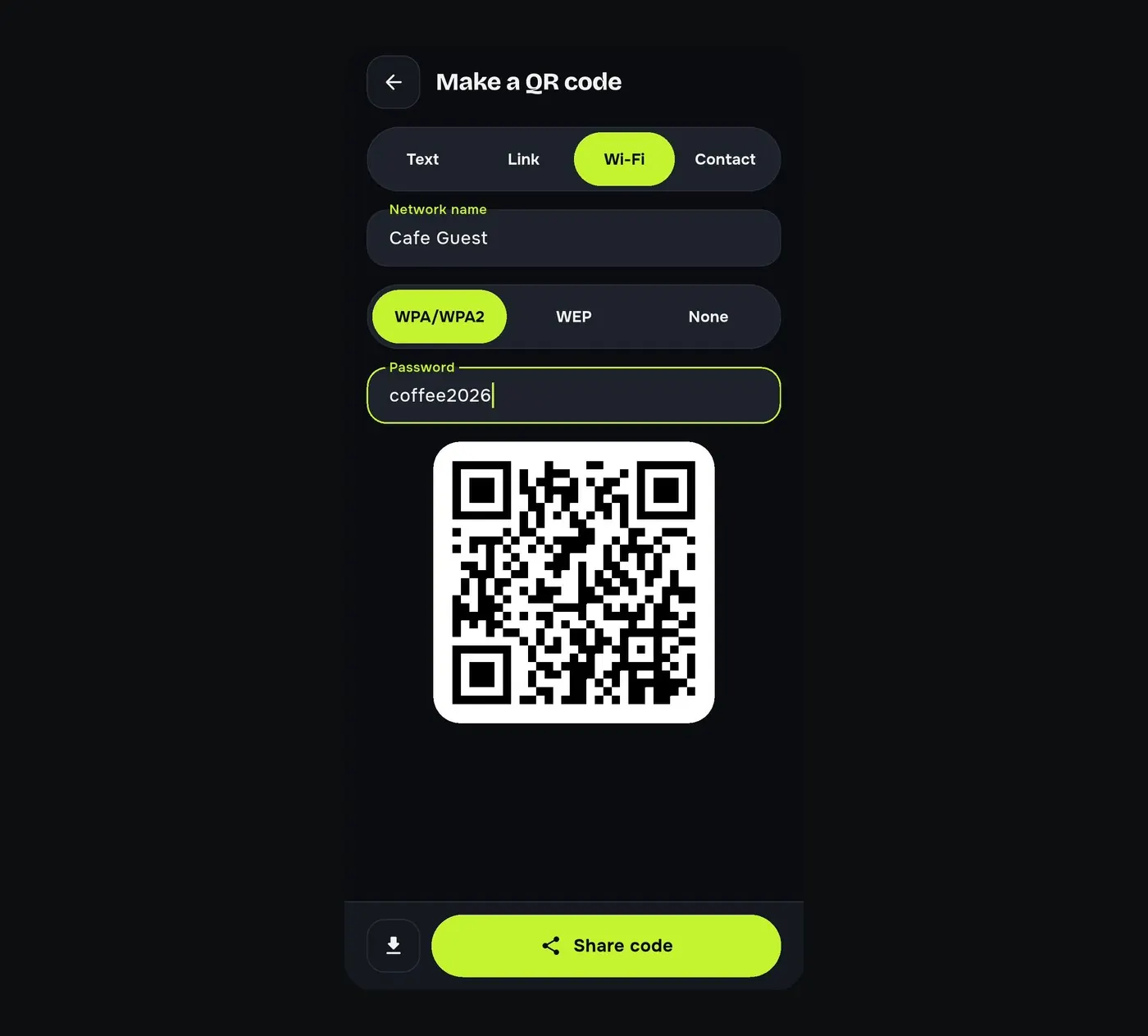
Every guide, one free app
No account and no watermark. Your files stay on your phone.
