A free, offline PDF editor app for Android
By Toolverse Labs, makers of PDF Tools · · 2 min read
Quick answer
PDF Tools is a free PDF editor, scanner and converter for Android. It edits PDF text, signs and fills forms, scans with OCR, converts PDF to Word and JPG, and merges, splits and compresses PDFs. It works offline, needs no account and adds no watermark.
Most people install one app to read PDFs, another to scan, a website to compress and a laptop to edit. PDF Tools puts more than 40 of these jobs in one app that works offline and never uploads your files.
How the app is organised
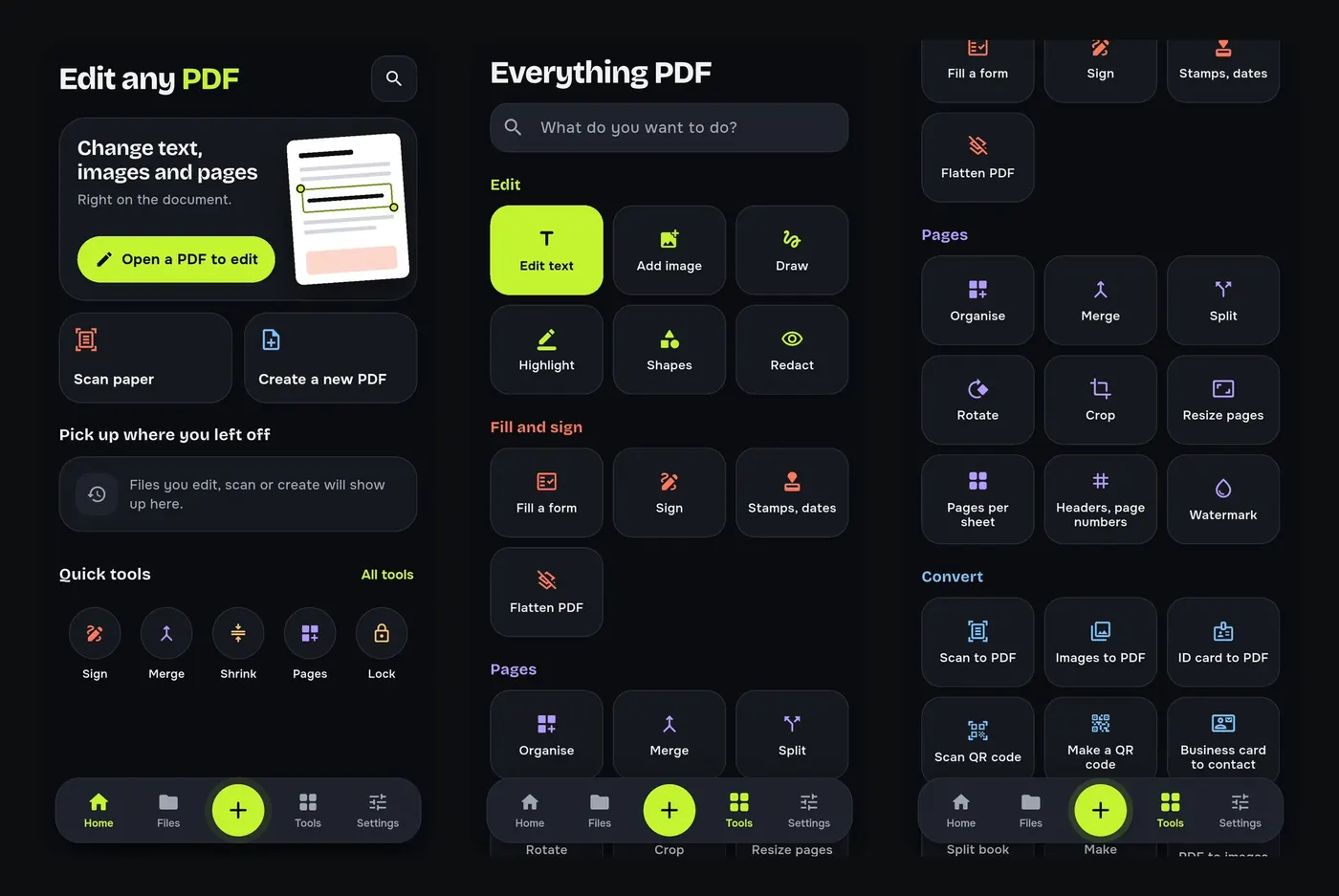
- Home: open a PDF to edit, scan paper, create a new PDF, pick up where you left off, and quick tools for Sign, Merge, Shrink, Pages and Lock.
- Files: every PDF on your phone, with folders, favourites, search inside files and a recycle bin.
- Tools: every tool in groups (Edit, Fill and sign, Pages, Convert, Protect and shrink, Read and print), with a search box for what you want to do.
- Settings: 10 languages, app lock and hiding your files from the recent apps screen.
The tools people use most
- Edit PDF text right on the page.
- Sign a PDF without printing.
- Compress a PDF to 200 KB for upload forms.
- Merge and split PDFs.
- PDF to Word and JPG to PDF.
- OCR in English and Hindi.
Why it is different
- Works offline: editing, scanning and converting happen on your device.
- Private: your files stay on your phone and are never uploaded to our servers.
- No account, no sign-up and no watermark on your documents.
- Made for phones and tablets, in English, Hindi, Gujarati, Spanish, Portuguese, Indonesian, Russian, Turkish, Vietnamese and Arabic.
- Free to use, supported by ads; one short video removes ads for 30 minutes.
Try it on your phone. PDF Tools is free, works offline and needs no account.

Frequently asked questions
Is PDF Tools free?
Yes. Every tool is free to use; the app is supported by ads.
Does PDF Tools work offline?
Yes. Almost every tool works without internet.
Are my files uploaded?
No. Your documents are processed on your phone.
Do I need an account?
No. There is no sign-up.
Everything PDF Tools can do
More than 40 tools in one free app, on phones and tablets, in 10 languages. Your files are processed on your phone and never uploaded to our servers.
- Edit: edit PDF text, find and replace, images, shapes, drawing, highlight, links, bookmarks, redact.
- Fill and sign: fill forms, saved details, make a form, sign, certificate signature, stamps and dates, flatten.
- Pages: organise, merge, split, rotate, crop, resize, pages per sheet, page numbers, watermark.
- Convert and scan: scan to PDF, images to PDF, ID card to PDF, OCR, QR scanner and maker, business card to contact, PDF to Word, Word to PDF, PDF to JPG, PDF to text, web page to PDF.
- Protect and shrink: compress PDF, compress photo, black and white, add or remove password, clean hidden data.
- Read, compare and find: reader with night mode, read aloud, translate, compare PDFs, find dates and amounts, print.
- Files and privacy: folders, favourites, recycle bin, app lock, search inside files, batch mode.
See every feature in detail or get PDF Tools on Google Play.
Related guides
How to edit the text of a PDF on your Android phone
Change words, dates and names inside a PDF on your Android phone. Retype a line or find and replace a word, free and offline, without a computer.
CompressHow to compress a PDF to 200 KB on your phone
Reduce a PDF to under 200 KB, 100 KB or any size limit for job, exam and government forms, right on your Android phone. Free, offline, no upload.
Fill and signHow to sign a PDF on your phone without printing it
Add your signature to a PDF on your Android phone: draw or type it, place it on the page and share the signed file. Free and offline, no printer or scanner.